What changes when an account uses a passkey?
A passkey is a digital credential that lets you sign in without typing that account’s password. Instead of inventing a combination of letters and numbers, the device creates cryptographic material and asks for local approval, such as a fingerprint, facial recognition or PIN. The experience can feel like unlocking your phone, but the approval authorises access to a particular service.
The name does not refer to one exclusive app, and every website does not have to present the same screens. The service must support passkeys, while the device, operating system, browser and credential provider must work together. An account may offer a passkey while retaining other sign-in and recovery methods. Creating the credential does not automatically remove those alternative routes.
How do the public and private keys work?
Creating a passkey generates a pair of keys associated with the account and service. The public key is given to the service. The private key is protected by the authenticator or provider managing it, with protected synchronisation where that model is used. The public key lets the service verify a proof created with the private key without learning the private key itself.
During sign-in, the service issues a fresh challenge. After local approval, the authenticator produces a signed response for the service to check. Imagine a lock that recognises a valid proof instead of receiving a copy of a secret that both sides must store. This is a useful analogy for the purpose, while the actual process relies on algorithms, checks and an association with the correct domain.
Does the website receive my fingerprint?
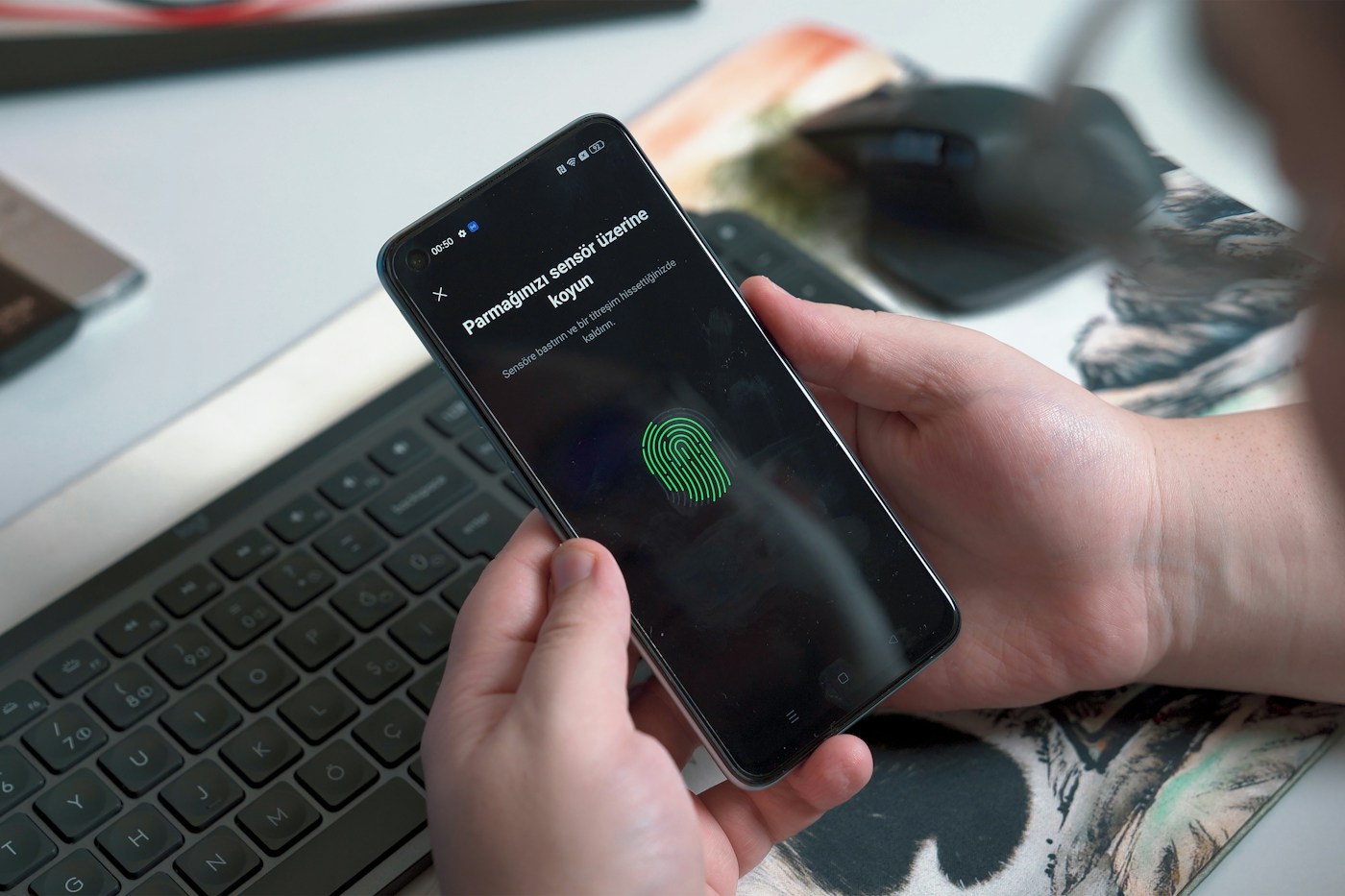
That is not how passkey authentication works. Where a biometric method is selected, the device performs that verification locally. The website receives an authentication proof and the information needed to establish that the required check was satisfied. It does not receive a photograph of your face or a copy of your fingerprint to compare against its own biometric database.
The passkey is not the fingerprint either. The credential can still exist when you choose an allowed local PIN instead. Keep the two layers separate: the credential authenticating the account to the service, and the mechanism authorising that credential on your device. If someone else can unlock the device and use its credentials, that access needs to be considered when protecting the account.
Why are passkeys more resistant to phishing?
A password can be entered into a fake form and handed to an attacker. A passkey is associated with the service for which it was created, and the browser participates in checking that context. Copying a page’s appearance does not give another domain the right to use the legitimate credential. This association is central to the phishing resistance described by FIDO and the WebAuthn standard.
That protection does not make every later action safe. An already-open session, a compromised device or weak account recovery still needs attention. Fraudulent requests may also try to persuade you to approve a different operation. Read the service name and the request on screen. Authentication demonstrates control of a credential; it does not automatically judge the wisdom of everything you are asked to do afterwards.
Synced passkeys and device-bound passkeys
A synced passkey can become available on other devices through the same credential provider, according to its rules and protections. This can make replacing a phone or adding a computer easier. Synchronisation does not mean that anyone who knows your email address can download the keys. Access to the provider account and its security mechanisms also matter.
A device-bound passkey remains with that authenticator, as may happen with a hardware security key or an enterprise implementation. Losing the device may require another previously registered method. The choice involves convenience, policy and recovery. A workplace account can restrict providers or credential types. Do not try to bypass those rules by following instructions intended for an unrelated personal account or by assuming that every passkey is backed up.
How to create your first passkey and keep access
Start with an account you use regularly, on an updated personal device with a screen lock enabled. Sign in through your usual address and open the security settings. Look for the option to create or add a passkey. Menu names vary. Check which account is selected and which device or provider will store the credential before approving its creation.
Give it a recognisable name if the service offers that option. End only that test session, then confirm that you can sign in again using the new method. Keep a working recovery route during the transition. Do not delete every alternative simply because a success message appeared: creating, testing and checking recovery are separate jobs. Avoid making your first experiment on an account you can access only through a session that is about to expire.
Can my phone sign me in on another computer?
Some flows let a passkey on your phone authenticate a session on another computer. The computer displays a QR code, the phone reads it and asks for approval. Communication and proximity checks follow the system’s requirements; Bluetooth may be needed. This is different from entering a permanent code into a website and does not require the passkey to be saved on the computer used for the session.
On a shared computer, choose the method deliberately and decline to store personal credentials there. Check the address, complete your task and sign out afterwards. A private window may reduce local traces, but cannot make a device controlled by someone else trustworthy. If the flow is unsupported, use a legitimate account alternative rather than installing a tool recommended by an unfamiliar message.
What if I lose or replace my phone?
The answer depends on where the passkey is stored. If it is synced and you can recover access to the provider, it may become available again on a compatible device. If it exists only on the lost phone, you need another registered credential or the service’s recovery process. Prepare your recovery email and provider recovery mechanisms before a loss occurs.
When replacing a device, confirm access on the new one before erasing the old one. List important accounts and check each individually. If a phone has been lost or stolen, consult official resources for protecting the device and revoking relevant credentials or sessions. Removing a passkey from the service’s list and deleting a copy in a credential manager are related actions, but are not necessarily equivalent across every platform.
Is a PIN or text-message code the same thing?
A device PIN authorises a local operation; it is not the account password compared by the website’s server. A text-message code is usually a temporary secret that you copy into a form. A passkey uses a cryptographic proof associated with the service. Seeing numbers or an approval prompt does not mean these three methods provide the same kind of protection.
A request to read your phone PIN aloud to a supposed employee is therefore not part of a normal passkey sign-in. Keep that local unlock secret private. You also do not have to memorise or print the private key as though it were a password. If a service supplies recovery codes, handle them according to that service’s instructions: they are a separate resource with their own purpose and risks.
What should I check if the option is missing?
First check the selected account, the service’s support and updates for the operating system and browser. Confirm that screen locking is enabled, the credential provider is available and any organisational restrictions have been considered. A browser embedded inside an app can behave differently from your usual browser. Try the official route in a supported environment without changing several settings at once.
If the problem continues, consult the service’s help for that particular message. Do not delete the last credential that still works or reset a phone merely as an experiment. Record which device or provider holds the passkey and keep recovery options current. A successful introduction starts with one tested account and grows when you understand how to sign in, sign out and regain access.
Frequently asked questions
Is a passkey the same as my fingerprint?
No. A passkey is a cryptographic credential. A fingerprint is one possible local method of authorising its use.
Does the website receive my face or fingerprint?
Biometric verification stays local during passkey authentication. The service receives the proof needed to check authentication.
Must I buy a physical security key?
Not always. A compatible device can store passkeys. Physical keys are another option, depending on the service and applicable policies.
Can I delete my password immediately?
Do not do so automatically. Test the new sign-in and confirm the service’s supported alternatives and recovery process before removing a method.
Will losing my phone lock me out of everything?
Not necessarily. It depends on synchronisation, other credentials and prepared recovery routes. Check them before replacing or erasing a device.
Do passkeys prevent every type of fraud?
No. They reduce important authentication risks, including phishing, but cannot make a compromised device safe or approve every later action for you.
Should I create a passkey on a public computer?
Avoid storing a personal credential on a shared device. When using cross-device authentication, check the request on your own phone and sign out afterwards.